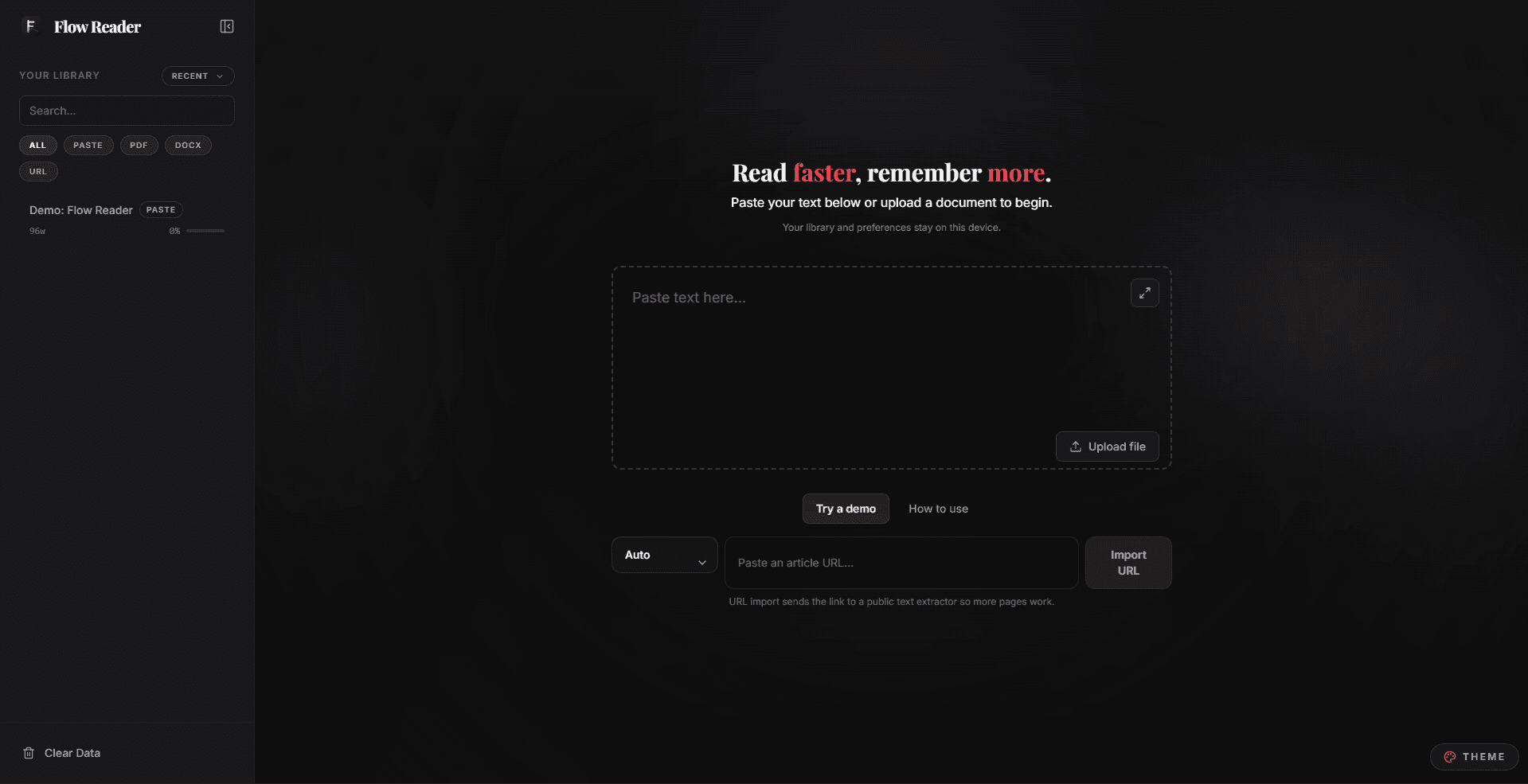
Flow Reader is a browser-based reading workspace for moving through long text with less visual friction. It combines RSVP and Bionic-style reading with a personal library, document imports, notes, themes, and lightweight session recaps.
Instead of treating speed reading as a single full-screen gimmick, the product keeps the surrounding workflow intact: bring text in, choose how to read it, adjust the pace, retain context, and return later without rebuilding the session.
Local-first by design
The reader keeps its library and preferences on the user's device. That makes the experience private, fast, and useful without requiring an account or sending reading material to a remote service.
Local-first behavior also changes the tone of the interface. There is no onboarding funnel or sync status to manage; the first action can simply be importing something to read.
Product and technical work
I built Flow Reader with React and TypeScript as an installable progressive web app. The architecture separates the library, reader state, and presentation preferences so the reading surface can stay calm even as the workspace grows more capable.
The design work centered on pacing and legibility: clear keyboard control, restrained motion, readable contrast, and enough visual hierarchy to keep advanced controls discoverable without surrounding every word with chrome.
What shipped
- RSVP and Bionic reading modes with adjustable pacing
- Local document imports and an on-device personal library
- Themes, notes, settings, and post-session recaps
- Responsive, keyboard-friendly controls in an installable PWA